
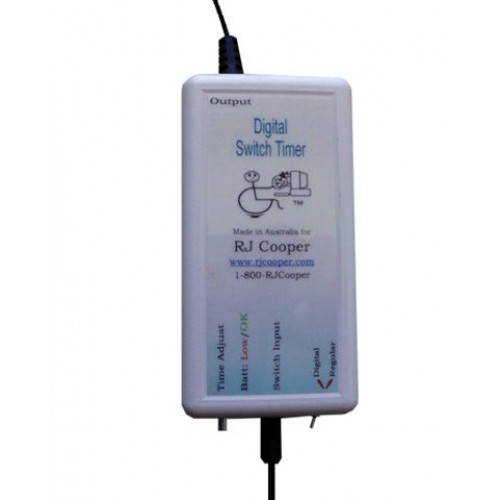
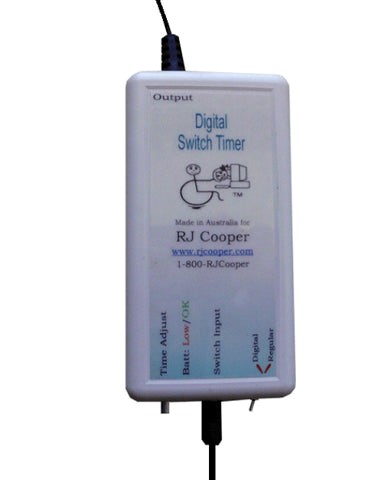
Digital Switch Timer (for switch-adapted devices and non-switch-adapted appliances)
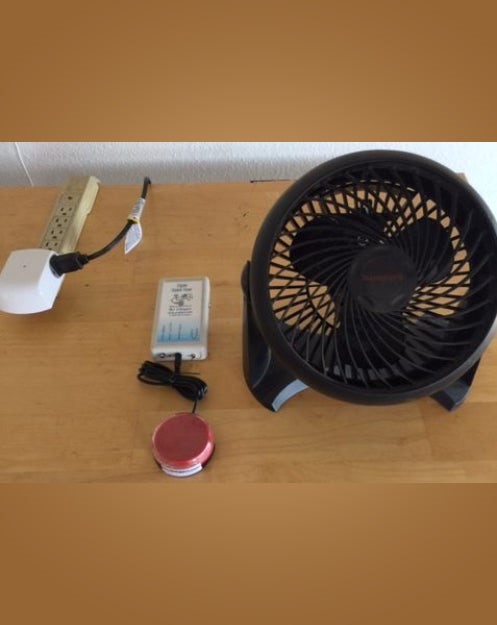
"Active Sensory interventions focus on
cause/effect understanding. That is, teaching someone to interact with
their environment to get a reinforcer requires 'active' responses by the
learner. Contrasting this is 'passive' Sensory environments, designed for
comfort and environmental stimulation.
"Personally, I'm all about Active; I want the
learner learning and exhibiting behaviors that result in positive impact.
"At the core of my Active Sensory approach is my,
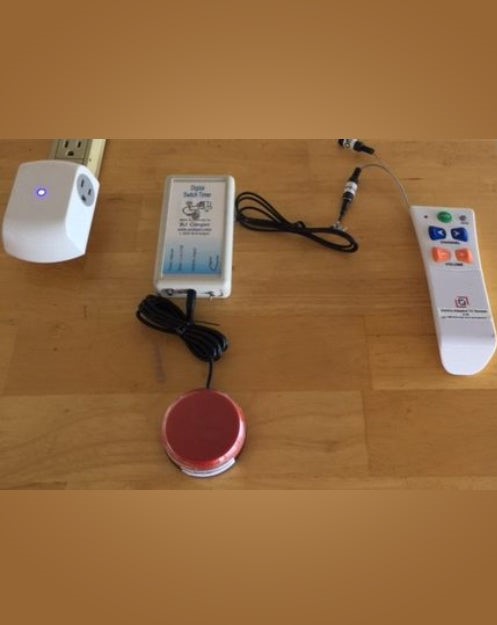
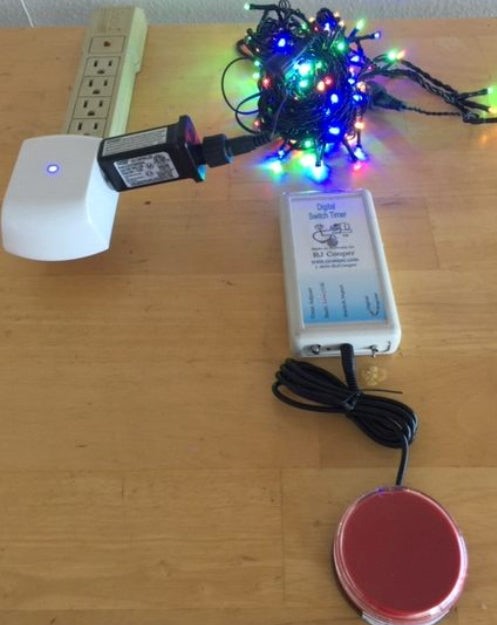
*unique*, Digital Switch Timer (DST). Plug a switch of any type into it,
set the timer, and turn on a switch-adapted device (e.g. TV Remote's power) or
appliance (e.g. fan, Xmas lights) for that time.
"Now why is my DST necessary? Read on!
"Trying to use an outdated switch latch timer,
meant for old cassette players, just doesn't work anymore (can you even find
those old players? ;-)" RJ
This is an *electronic* version of a switch timer that
has been around since the beginning of our field. Mine allows current
electronics (CD player, TV, etc.), that have been switch-adapted (internally or
with battery interruptor) to stay on longer than just the length of the switch
activation. It is most used for cause/effect work needing very obvious or
motivating reinforcers.
What is it and why is it needed?
The problem:
You have a switch (or are purchasing one from us).
You have a reinforcer (MP3 song, TV program, DVD video,
CD song, or anything *electronic* playing through a device that is
switch-adapted, OR you are purchasing one from us)
You want to create a cause/effect activity where your
learner 'hits' their switch to start the song/program/video, it will play for a
time (that you can set), and then pause for his/her next switch hit.
And you might have *tried* a "switch timer" for
toys/appliances but it didn't work!
The cause of the problem:
Electronic reinforcers, that is, devices that are
controlled by an *electronic* switch (versus a *mechanical push button, like on
an older cassette player), or controlled by a remote, require my Digital Switch
Timer to function as a cause/effect device.
If you've tried a timer, like the PowerLink from Ablenet
or a "switch/latch timer" from several sources, that timer 'holds
down' your button for a period of time. That is, when the learner hits
his/her switch, the timer behaves so that your toy/appliance (the thing you are
trying to control) thinks you are holding the switch down for the period of
time that you have set.
This works fine for devices that have a mechanical
(pushbutton, slide switch, etc.) activator, like a fan, toy with off/on switch,
etc.
But for newer devices, like those I reference above, they
are *electronically* activated. They don't have a mechanical
button. The buttons in a TV remote, for example, are 'electronic'
buttons. They only close a connection to a computer chip.
When the computer chip senses the press & hold of a
regular timer, it doesn't do anything at all. It is looking for a
press/release in order to perform the button's function.
Further, when the timing cycle is finished, say after 30
seconds, the regular timer 'releases' the hold-down.
But the computer chip sees this as completing the
press/release cycle that you started 30 seconds ago.
So it simply performs the *first* activation of the
button function. In other words, if the music was paused, it will *just
now* begin, 30 seconds after the actual switch hit!
The Probable Solution
My Digital Switch Timer performs a press/release of the
button so that the computer chip knows to perform the button function *now*.
After the number of seconds that you set, the Digital
Switch Timer sends a *second* press/release to the chip, telling it to *pause*.
And now my Timer simply waits for the *learner's* next
switch hit to begin its cycle again.
A Regular mode adds the ability to 'hold down' the switch
so that switch-adapted battery-operated toys and other devices that work with
toggling the power can be used! So it can work like old fashioned switch timers
do, also :-)
Please read the above several times so you fully
understand it :)
So, in conclusion, you pair my DSTwith a switch (almost
any switch) and a reinforcing device, such as one above (or switch-adapted
anything!). You set the time duration for your cycle, and away you go.
Because I like everything I make to be as full-featured
as possible, I have also included:
Mode for Momentary Digital - In this mode, the learner
presses, and *holds* his/her switch and your reinforcing device plays for that
period of time. No time cycle is employed. My Timer sends a
press/release at the learner's initial switch *press* and another press/release
when the learner releases his/her switch.
Mode for Hold-down Timed - In this mode, my Digital
Switch Timer behaves like a regular timer. That is, the learner hits his/her
switch, and my Timer 'holds the attached switch-input down' for a length of
time. This mode is for toys and other reinforcers that have *mechanical*
buttons that have been switch-adapted.
This means you can *still* use it with any toy/device
that requires the 'hold-down' function, like previous timers! It's the
best of *both* worlds :)
Digital Switch Timer
- Brand: RJ Cooper- Communication Access-iPad Mounting & Cases
- Product Code: Digital Switch Timer
- Availability: In Stock
-
Request Quote
Tags: Digital Switch Timer